

Tregaskiss® Torch Maintenance Module
Proactive Cable Monitoring For Maximum Uptime
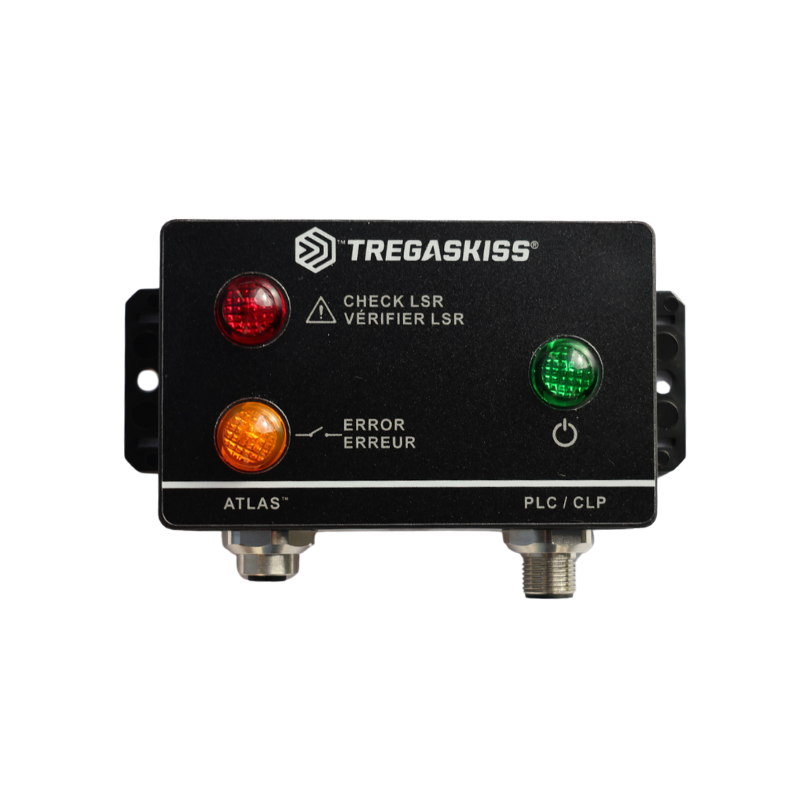
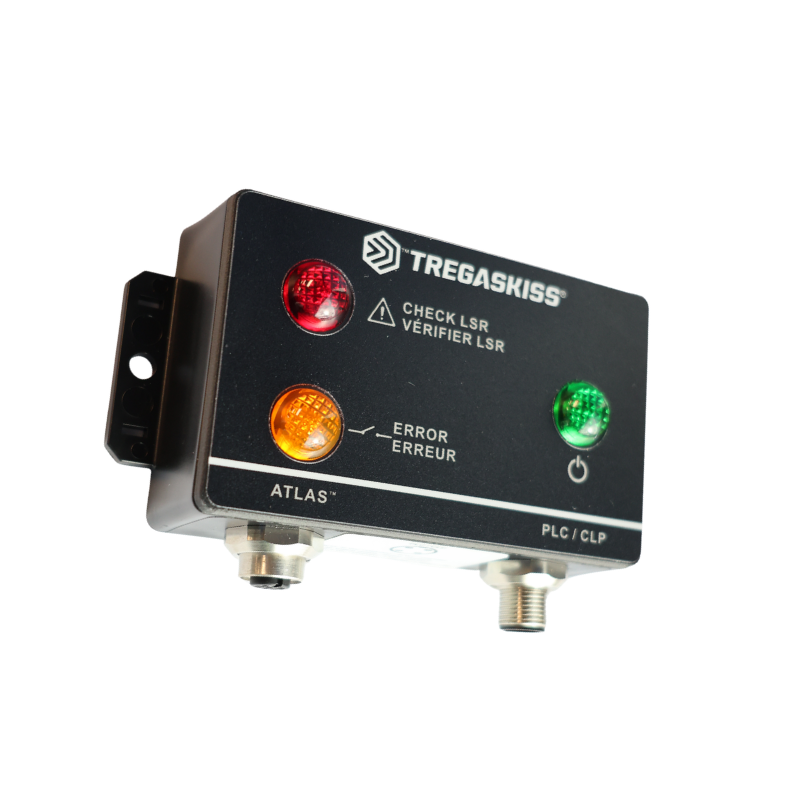
The Torch Maintenance Module (TMM) is a smart, add-on accessory designed specifically for the Tregaskiss® ATLAS™ Robotic ThruArm MIG Welding Torch. Seamlessly integrated into your robotic welding system, the TMM takes the guesswork out of cable maintenance by providing proactive alerts so you can plan downtime before issues arise.
Rather than relying on reactive maintenance or unexpected failures, the TMM monitors key performance indicators and notifies you when your torch cable is approaching its maintenance threshold. This allows you to schedule service during planned downtime, helping to reduce unplanned interruptions, extend cable life, and maintain consistent weld quality.
The TMM is your next step toward smarter, more predictable robotic welding operations. Estimate your savings with the Tregaskiss® Atlas™ Robotic ThruArm Torch Uptime Savings Estimator.

- Proactive Maintenance Alerts – Know when cable service is needed before performance is affected.
- Minimized Unplanned Downtime – Plan maintenance around your production schedule, not the other way around.
- Seamless Integration – Designed to work effortlessly with the ATLAS™ torch and your existing robotic system.
- Improved Uptime and Efficiency – Keep your line running smoothly with fewer surprises and more control.
- Coming soon
Compatibility
- Every ATLAS torch comes TMM-ready no modifications required.
Take control of your maintenance strategy with the TMM because smarter service means stronger performance.
1. What is the TMM
The TMM is an accessory for the Atlas Robotic ThruArm MIG Torch that monitors the health of the torch cable and alerts the user when maintenance will soon be needed.
2. Why was the TMM developed
It was developed to help users plan cable maintenance ahead of time and reduce unexpected downtime that stops production.
3. What problem does the TMM solve
It gives early warning of cable wear so maintenance can be scheduled before a cable fails during production.
4. Who is a good fit for the TMM
Good candidates include high-volume welding operations, facilities with frequent cable failures, companies with limited maintenance manpower, and any Atlas torch user wanting higher uptime.
5. What do the indicator lights mean
Green means normal operation.
Red means the cable needs maintenance soon.
Amber means cable monitoring has stopped and the cable or connections should be checked.
See TMM Technical Insert.
6. What does the TMM monitor
The TMM monitors cable condition only. It does not monitor other torch parts or welding parameters.
7. Where should the TMM be mounted
It should be mounted where the LEDs are easy to see, such as near the robot feeder, the robot base, on the exterior of the cell, or near the PLC cabinet.
See TMM Technical Insert.
8. How do you mount the TMM
Use the mounting tabs and secure the module with screws or zip ties. A mounting pattern is included.
See TMM Technical Insert.
9. How does the TMM connect to the Atlas torch
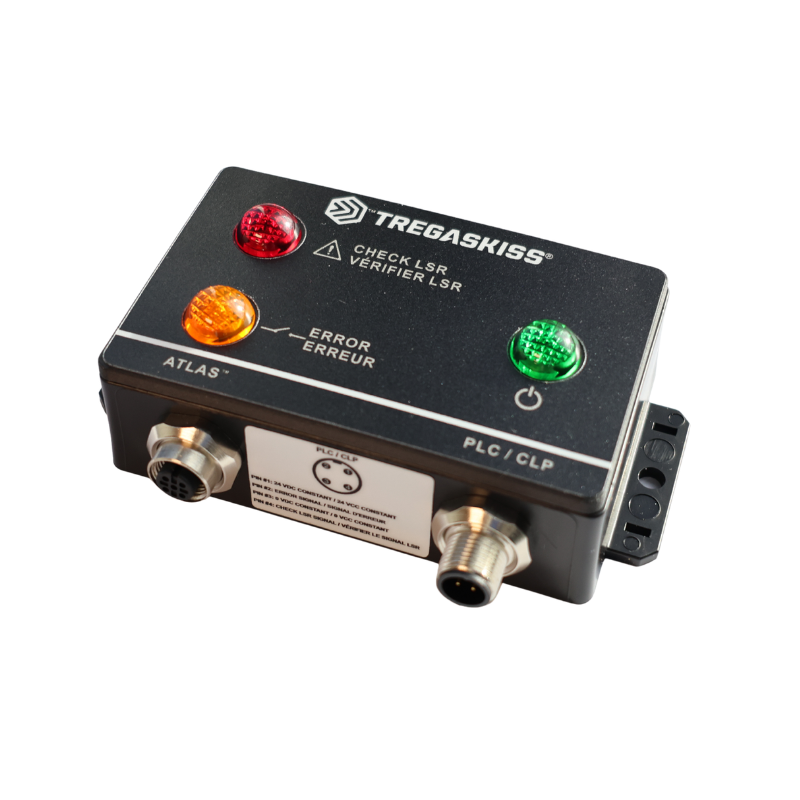
A shielded M12 cordset connects the TMM to the M12 connection on the Atlas LSR+ Unicable.
See TMM Technical Insert.
10. How does the TMM connect to power and the PLC
A second M12 cordset connects to the PLC port on the TMM and is wired to 24 VDC power and optional PLC signal points.
See TMM Technical Insert.
11. What cables are required
Shielded cables are required. Available lengths are 3 meters and 10 meters.
See TMM Technical Insert.
12. What is the difference between TMM and TMM-C
TMM includes only the module.
TMM-C includes the module plus the 3 meter and 10 meter shielded cables.
13. Is the TMM compatible with all Atlas torches
Yes. The TMM works with all Atlas LSR+ Unicables and can be reused when a cable is replaced.
14. Does the TMM improve torch performance
It helps keep the cable in good condition, which supports consistent TCP and reduces downtime.
15. Can non-Atlas torches use the TMM
No. Only the Atlas torch with the Atlas LSR+ Unicable can connect to the TMM.
16. Can I add a TMM after I already purchased my Atlas torch
Yes. All Atlas torches come set up to accept the TMM. It can be added at any time.
See Atlas Owners Manual.
17. Does the Atlas torch come TMM-ready
Yes. Every Atlas LSR+ Unicable includes the required connection for the TMM.
See Atlas Owners Manual.
18. Can my TA3 torch with an LSR cable connect to the TMM
No. The TMM requires the Atlas LSR+ Unicable system. TA3 torches are not compatible.
19. Can I configure my Atlas torch with a TMM
No. The TMM is sold separately, but your Atlas torch comes TMM-ready.
Part Number Overview
The Tregaskiss Torch Maintenance Module (TMM) is available in two configurations to suit different installation needs. The TMM part number includes the module only, allowing customers to use existing compatible cables or source them separately. The TMM-C part number includes the module along with both 3 meter and 10 meter shielded cables, providing a complete, ready-to-install solution.